Stellarium - Star Map
- 4.8
- Rating
- 10.00M
- Installs
- Free
- Price

 Analysis by App-foxy
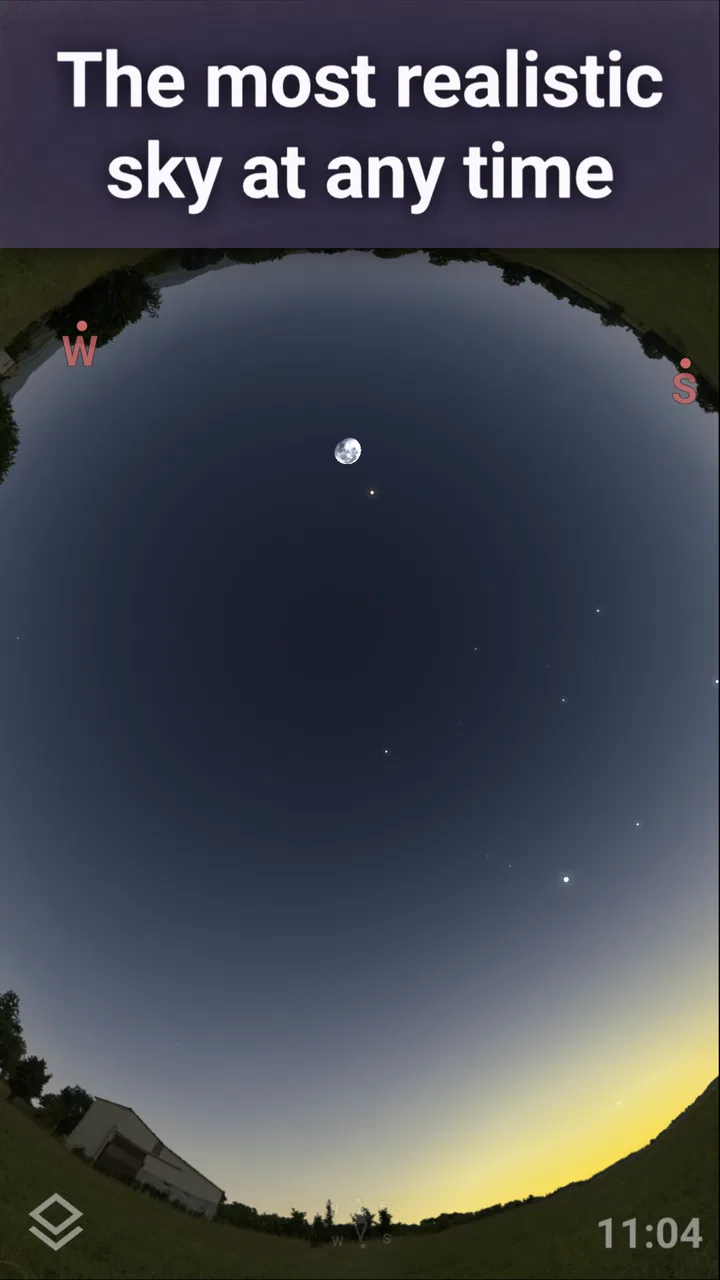
Finding a bright planet or a familiar constellation should feel simple, but a sky-map app can become confusing when the phone is held at the wrong angle, the location is inaccurate, or the screen is too bright for night viewing. I spent time with Stellarium Mobile - Star Map as an everyday astronomy tool, and my main impression is that it rewards a little patience. It is not merely a picture of the sky; it is a hands-on way to connect what appears above you with a searchable, moving map.
That makes it useful for beginners who want help identifying stars, as well as for more curious observers who want to understand how planets, satellites, and constellations fit together. At the same time, the app is most enjoyable when you treat it as an aid to observation rather than a replacement for going outside. If you expect a perfectly automatic answer every time you point your phone upward, the first few minutes may be frustrating.
Getting the sky map ready without the usual confusion
The app comes from Noctua Software and belongs to the education category. It is free to start, with optional in-app purchases ranging from $1.99 to $19.99 per item. Its Everyone age rating makes it approachable for family use, and the strong average of 4.8 from around 298 thousand ratings suggests that many people find the basic experience dependable. I can understand that appeal: the central idea is immediately clear, even before you learn the more advanced controls.
You May Also Like

 AccuWeather: Weather Radar
AccuWeather Review: A Quick, Clear Forecast for Everyday Decisions
For everyday plans, the best forecast is the one you can understand quickly. AccuWeather makes rain timing, radar, and local conditions easy to act on, with a few trade-offs.

 Hill Climb Racing
Why Hill Climb Racing Still Turns Crashes Into One More Run
A tiny car, a bumpy hill and one more upgrade: Hill Climb Racing keeps resurfacing because its simple chaos makes every near-miss feel personal.

 AliExpress - Shopping App
AliExpress Makes Global Shopping Feel Personal, but Shoppers Bear the Risk
AliExpress turns a global marketplace into a pocket-sized discovery engine. Its reach is useful, its shopping loop compelling, and its trade-offs easy to miss.

 Lords Mobile: Kingdom Wars
Lords Mobile Is a Kingdom-Building Routine, Not a Quick Match
A case-by-case verdict on the building, battles, device demands, and social commitments that make Lords Mobile rewarding for some players and exhausting for others.

 PDF Scanner app - TapScanner
TapScanner Makes Paperwork Easier to Capture, Check, and Share
TapScanner makes scanning with a phone feel less like a rescue operation and more like a dependable step in getting work done. Its capture tools are useful, though not flawless.

 Block Blast!
 Shows How Much a Puzzle Game Can Leave Out
A quiet grid game shows why puzzle players increasingly value instant clarity, repeatable skill and low-pressure play—and where the genre still needs to catch up.
More From Our News Desk
View All News


The first place users often get stuck is orientation. A sky map depends on the phone knowing which direction it is facing, but a phone compass is not always ready to give a reliable result. Nearby metal objects, a car, a building, or simply an uncalibrated sensor can make the labels drift away from the objects you can actually see. When that happens, I would not assume the star chart is wrong. I would first move into an open area, hold the phone steadily, and recalibrate the device using the system’s normal compass procedure.
It also helps to begin with an obvious target rather than a faint star. The Moon, a bright planet, or a clearly visible constellation gives you a reference point. Once the map lines up with something recognizable, the rest of the sky becomes much easier to interpret. Starting with a dim object can make a small alignment error feel like a major failure.
Location and time matter more than they first appear
A sky map changes with your position on Earth and with the time of observation. If the selected location is wrong, objects can appear in the wrong part of the screen even when the phone’s sensors are working properly. I recommend checking the location before blaming the motion view, especially after traveling, changing phones, or using the app somewhere with weak positioning.
Time is just as important. If you explore the sky using a different moment from the one outside your window, the app may correctly show an object that is not currently above you. This is particularly easy to do when experimenting indoors. I found that separating “learning the map” from “matching the live sky” avoids a lot of unnecessary confusion: first browse the sky at a chosen time, then return to the current moment before heading outside.
The app’s version is 1.15.3 and it requires an operating system version 9 or later. Those details are worth checking before installation, particularly on an older phone that may struggle with newer astronomy tools. A compatible system does not guarantee a perfect experience, but it removes one avoidable source of trouble.
Screen brightness can ruin an otherwise good observation
One of the less obvious problems is not technical at all. A bright phone screen makes your eyes less comfortable in darkness and can make faint stars harder to see when you look up again. I prefer lowering the display brightness before beginning, then using the app briefly as a reference instead of staring at it continuously. This simple habit makes a noticeable difference during a longer session.
There is also a practical trade-off between seeing the map clearly and preserving your night vision. New users often increase brightness because labels are difficult to read, but that can make the outdoor experience worse. I would rather pause, let my eyes adjust, and use the map in short checks. The app is more useful when it supports observation instead of becoming the brightest object in the yard.
Recovering when the map does not match the sky
When the display seems out of place, I use a short recovery routine instead of changing several settings at once. I check the time and location, move away from magnetic interference, recalibrate the phone, and then test the view against a bright object. If the result improves, I know the issue was probably alignment rather than the catalog or the app itself. This approach is faster than repeatedly closing and reopening the application without changing the conditions that caused the error.
Another useful habit is to search for an object before trying to identify it visually. Search-led exploration gives you a destination and helps you understand the direction in which the app expects you to move. After locating the target, I compare the surrounding stars and constellation outlines with the real sky. That turns the process into a small lesson rather than a guessing game.
For a family evening, I would prepare indoors first. Search for a few likely targets, learn where they sit in relation to one another, and then take the phone outside. Children usually have more fun when the observer already has a plan, such as finding a constellation and then checking which bright object is nearby. The app can keep the activity moving, but it cannot compensate for clouds, trees, streetlights, or a target that is below the horizon.
Use it as a learning map, not only as a pointing tool
The strongest part of the experience is the connection between a named object and its place in the larger sky. A beginner may recognize a bright point but have no idea whether it is a star or a planet. The map provides context: nearby constellations, neighboring objects, and the direction in which the sky is being viewed. That context is more valuable than a simple label because it helps you remember what you found.
I also like using the app away from the observation site. On a cloudy evening, it can still support learning by letting you explore how the sky is arranged at a particular time. This is where it differs from a basic printed chart. A paper chart is calm and easy on the eyes, but it demands more manual interpretation. Stellarium Mobile is quicker for checking a specific object, while a paper guide may be better for building a slower, broader understanding without a glowing screen.
Compared with a general search engine, the app is better suited to spatial questions. Searching the web may tell you when a planet is visible, but it does not give the same immediate sense of where to look relative to the rest of the sky. A general astronomy article can provide deeper explanations, yet it usually lacks the interactive connection between your position, the selected time, and the view above you. I see this app as the bridge between those two approaches.
When the problem is actually the environment
It is easy to blame a sky map when the real limitation is the observing location. In a city, light pollution can hide many of the stars shown on the screen. A user may correctly align the phone and still see only a fraction of the displayed pattern. That is not a defect in the map; it is a difference between what exists above you and what your eyes can detect from that location.
Buildings and trees create a similar issue. An object can be correctly represented in the app while remaining blocked in the real world. I recommend checking the direction before walking around searching for something that is simply behind a roof or below the local horizon. This is one reason I find a wide, open viewing area more important than constantly adjusting the phone.
Clouds are another obvious but frequently overlooked factor. The app can show where a target should be, but it cannot make the target visible through cloud cover. On such nights, I use it for planning or learning rather than treating it as a live confirmation tool. That distinction prevents disappointment and makes the application useful even when conditions are poor.
What to expect from the free experience
The free price makes trying the app easy, and the basic concept is strong enough that I would start there before considering any optional purchase. The in-app items cost between $1.99 and $19.99 each, so I would not buy anything simply because the first setup feels unfamiliar. First confirm that location, time, compass alignment, and viewing conditions are working for you.
Optional spending may make sense for someone who already knows exactly what they want from a mobile astronomy tool, but casual observers should judge the free experience on its own merits. I would especially avoid treating purchases as a solution to sensor problems or poor visibility. Extra content cannot correct a misaligned compass, a bright screen, or an obstructed view.
The app has passed the ten-million-install mark, which fits my impression that it is designed for a broad audience rather than only experienced astronomers. That accessibility is a strength, but it also means the interface can feel less specialized than software aimed at dedicated observers. If your priority is highly technical planning, detailed equipment control, or a workflow built around formal observing records, a more specialized astronomy program may suit you better.
Who will enjoy it and who should choose something else
I would recommend it to a curious beginner, a parent planning a short stargazing activity, a student trying to understand constellations, or anyone who regularly looks up and wonders what they are seeing. It is especially helpful when you want an answer in the moment and need a visual connection between the phone and the sky.
I would be more cautious about recommending it to someone who dislikes calibrating sensors, adjusting settings, or checking location and time. The app is not difficult in principle, but reliable results depend on the phone and the conditions around you. If you want a completely passive experience, a simple reference chart may feel less demanding.
It is also not the best choice for someone whose main goal is observing through a telescope with a highly technical preparation routine. A mobile map can be a useful companion, but it does not automatically turn a casual phone into a complete observing system. In that situation, dedicated astronomy software or equipment-specific tools may be a better match.
My practical verdict after using it
Stellarium Mobile - Star Map works best when I use it as a patient guide: check the location, confirm the time, align the phone with a bright reference, and keep the display subdued. Those steps sound basic, but they address most of the friction that can make the first session feel unreliable. Once the setup is right, the app becomes a pleasant way to move from “that bright dot” to a real understanding of the surrounding sky.
Its biggest strength is not simply showing many objects. It is the way it makes the sky feel connected and explorable, whether I am outside under clear conditions or learning indoors on a cloudy evening. Its main weakness is that beginners may expect the sensors to do all the work. They do not. The phone’s compass, location, time, lighting, and surroundings all influence what the experience feels like.
With a 4.8 average and around 11 thousand written reviews, it has clearly built a substantial audience, and I think the enthusiasm is justified for the right user. I would install it if I wanted an approachable education app that could turn an ordinary evening walk into a small astronomy lesson. I would skip it only if I needed a specialist observatory workflow or had no patience for the short setup checks that make the map trustworthy.
In the end, this is a free starting point with enough depth to remain useful after the novelty wears off. Give it an open view, a correctly configured phone, and realistic expectations, and it can become the app you reach for whenever the night sky presents something you want to understand.
FAQs for Stellarium - Star Map
01What is Stellarium Mobile - Star Map, and how does it work?
Stellarium Mobile - Star Map is an astronomy app that transforms your smartphone into a virtual planetarium. It uses your device's GPS and sensors to display a realistic night sky in real-time, allowing you to explore stars, constellations, planets, and other celestial objects. Simply point your device at the sky, and the app will identify what you’re looking at.
02Can Stellarium Mobile be used offline?
Yes, Stellarium Mobile can be used offline. While an internet connection enhances features such as downloading additional star catalogues or real-time updates, the app's core functionality, including sky map navigation and identification of celestial objects, works without an internet connection once the necessary data is downloaded.
03Is Stellarium Mobile suitable for beginners in astronomy?
Absolutely. Stellarium Mobile is designed to be user-friendly for both beginners and experienced stargazers. Its intuitive interface and comprehensive tutorials make it easy for new users to navigate and learn about the night sky. The app also includes educational content to help users understand more about astronomy.
04What devices are compatible with Stellarium Mobile?
Stellarium Mobile is available for both Android and iOS devices. It requires Android 6.0 or later, and iOS 11.0 or later. The app is optimized for smartphones and tablets, ensuring a smooth experience across various screen sizes. However, for the best performance, ensure your device meets the recommended specifications.
05Are there any in-app purchases or subscriptions in Stellarium Mobile?
Yes, Stellarium Mobile offers in-app purchases and a subscription model. The free version provides basic features, but for an enhanced experience, users can opt for a paid version or subscribe to access advanced features, such as extended star catalogs, additional sky objects, and more detailed celestial information.
Pros
- Detailed star map with real-time updates.
- Intuitive interface for easy navigation.
- Customizable settings for telescope integration.
- Offline mode available for remote locations.
- Educational content for astronomy enthusiasts.
Cons
- Subscription required for full features.
- Occasional lag on older devices.
- Limited free features in the basic version.
- Requires GPS for precise location tracking.
- Battery-intensive during extended use.

Stellarium - Star Map
Gallery